

Nintendo Wii Console Information
Gathering the MAC Address
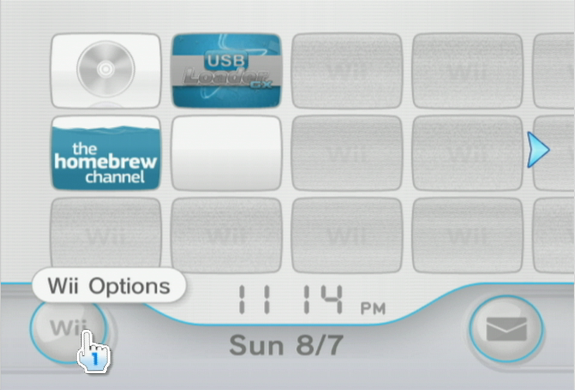
- From the Wii "Home Menu", select the Wii Options button in the lower left corner.
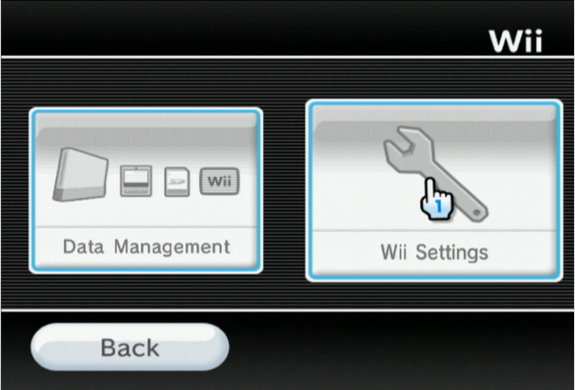
- Inside of the Wii Options, choose "Wii Settings".
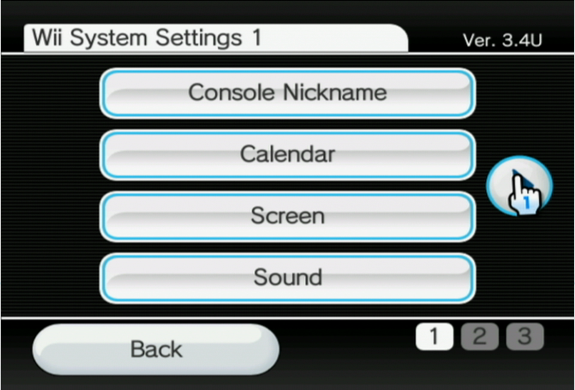
- Scroll to the 2nd Page listing by selecting the right arrow button.
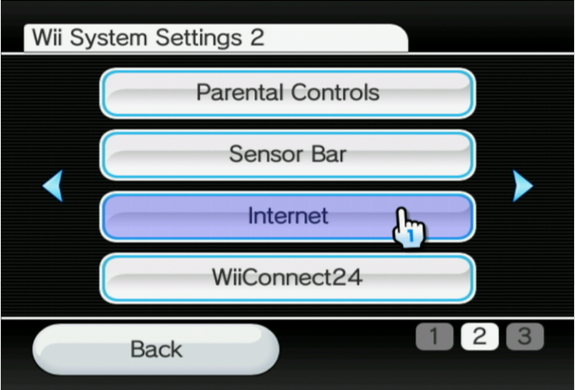
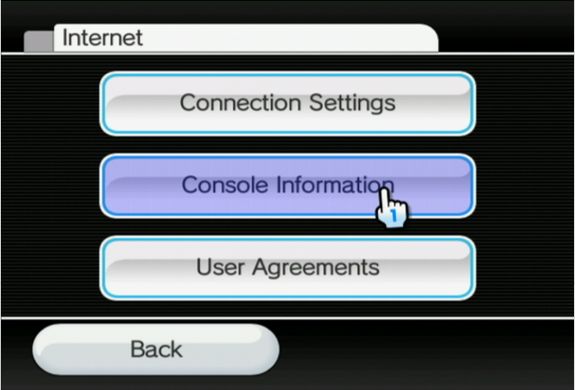
- From the Wii System Settings 2 page, select "Internet".
- Select "Console Information".
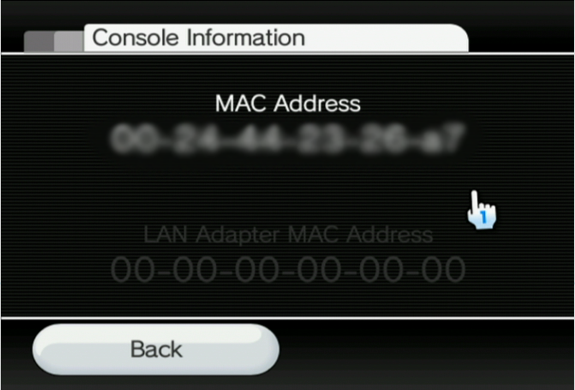
- The MAC address will be displayed on screen.
Need Assistance?
The WKU ITS Service Desk is here to help. Give us a call, chat with a representative online, use the Self-Help Knowledge Base and more.
Some of the links on this page may require additional software to view.